PhotoCraft Brings Browser-Based Image Editing to Raspberry Pi
- Published
- Author
- Thomas Dyan
- Reads
- 957
PhotoCraft runs from a Raspberry Pi web server, letting devices on a local network edit images while exposing both useful tools and compatibility gaps.
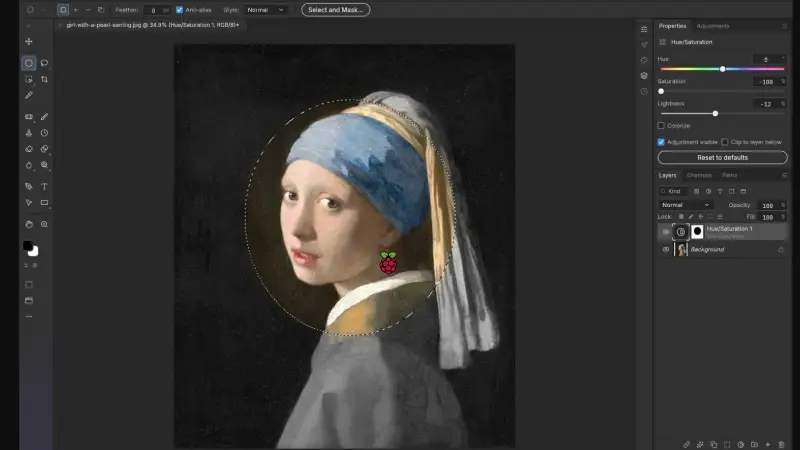
PhotoCraft turns a Raspberry Pi into a local host for browser based image editing. In its web version, the Pi serves the application while a desktop computer or tablet handles the editing work. That arrangement makes the board a convenient way to provide access across a home network without asking it to do all the graphics processing itself.
The project is an open source, reverse engineered Photoshop clone that runs on ARM64 hardware. Its appeal is practical: people familiar with Photoshop’s layout and workflow can try a similar interface on devices that may not run Adobe’s software. PhotoCraft is free to use, and a locally hosted setup keeps the work on the user’s own network. Those points make it interesting for experimentation, though they don’t establish that it can replace Photoshop in a professional workflow.
Hosting the editor on a Pi
Setting up the web release took less than 10 minutes. Most of that time went into locating the correct download: the photocraft-web release, available among the release assets after selecting “show all assets.” The downloaded archive was unzipped into a directory, which was then served by the Raspberry Pi’s web server.
The setup used Caddy. Apache and Nginx are also options for serving the files, so the choice can fit an existing Pi configuration. Once the web server pointed to the application, a desktop browser could reach it through the Pi’s local IP address. The result was an editor accessible from another device on the network, rather than an application confined to the Pi’s own display.
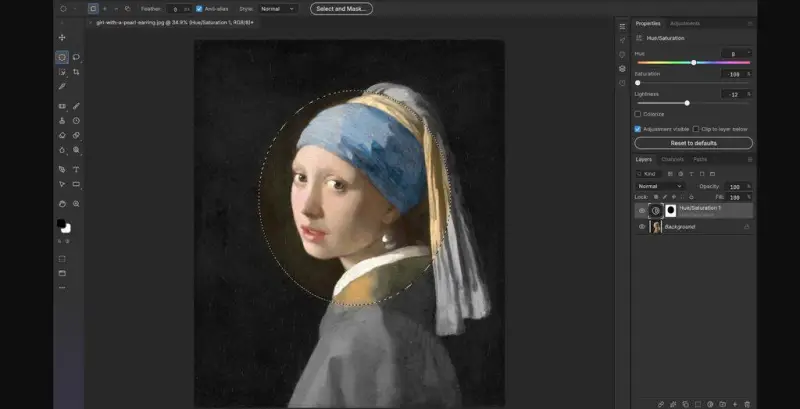
This division of work matters on a small computer. Image editing can be sluggish when the Raspberry Pi itself has to render and manipulate everything. In the browser based server and client arrangement, the Pi mainly provides the application, while the client device does the heavier processing. The source doesn’t specify performance figures or particular Pi models, so the actual feel will depend on the hardware and the images being edited.
There’s also a standalone release for people who want to run the editor directly on Raspberry Pi OS. That version can be installed with Flatpak. The web release is the more useful choice when several devices should reach the same hosted editor; the standalone option keeps the setup focused on one Pi.
Tools that worked in testing
The tested feature set included layer masks and layer styles, along with the clone stamp and other tools arranged in a left hand toolbar similar to Photoshop’s. Coloring effects also worked in the trial. These are meaningful capabilities for common image manipulation: masks and layers support selective edits, while clone tools can copy image detail to another area.
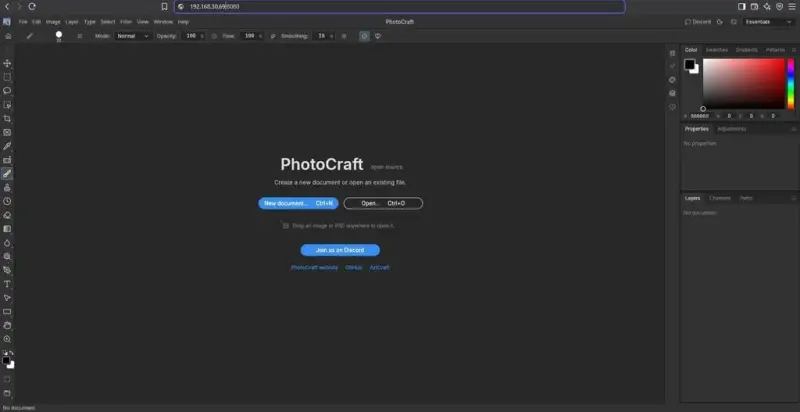
That familiar organization could lower the effort of trying the program for someone whose editing habits are built around Photoshop. Interface resemblance, however, doesn’t guarantee that every tool behaves the same way or that files move cleanly between applications. The test was exploratory, and it did not measure speed, stability across long sessions, or behavior with large and complex projects.
Gaps to account for
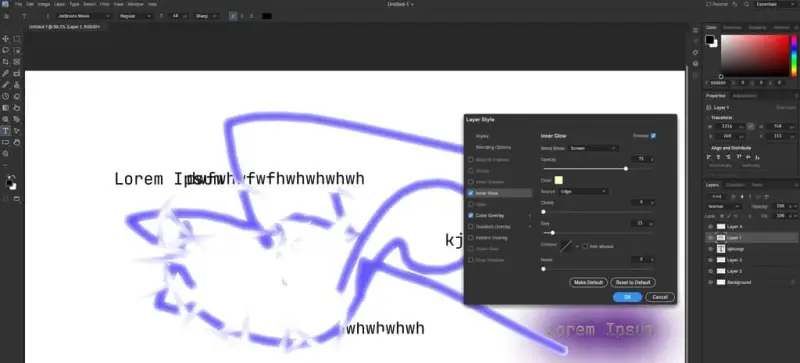
Three limitations appeared during testing. The application couldn’t fetch new fonts on the fly, saving a custom brush didn’t work, and saved project files did not show cross compatibility when opened in Adobe Photoshop. For users who depend on custom typography or reusable brushes, those are workflow constraints. The file compatibility issue is especially relevant when projects need to move between PhotoCraft and Photoshop.
PhotoCraft is being updated frequently, so these observations describe the tested version rather than a guarantee about later releases. The project may address individual faults over time, but the test also wasn’t broad enough to establish feature parity. Advanced tools and less common workflows may have other gaps.
For a home setup, the strongest case is access: host the editor on a Pi, open it from a computer or tablet, and keep image work local to the network. That offers a free way to try a Photoshop like workflow without a recurring subscription. For professional use, the current evidence calls for checking the specific tools and file handoffs a project depends on before relying on PhotoCraft. Its progress is worth watching, especially around font handling, custom brushes and exchange of project files.