Raspberry Pi 5 with 16GB RAM: When the Extra Memory Pays Off
- Published
- Author
- Patrick Fromaget
- Reads
- 631
The 16GB Raspberry Pi 5 suits memory hungry workloads, but many projects will run just as well on the cheaper 8GB or 4GB models.
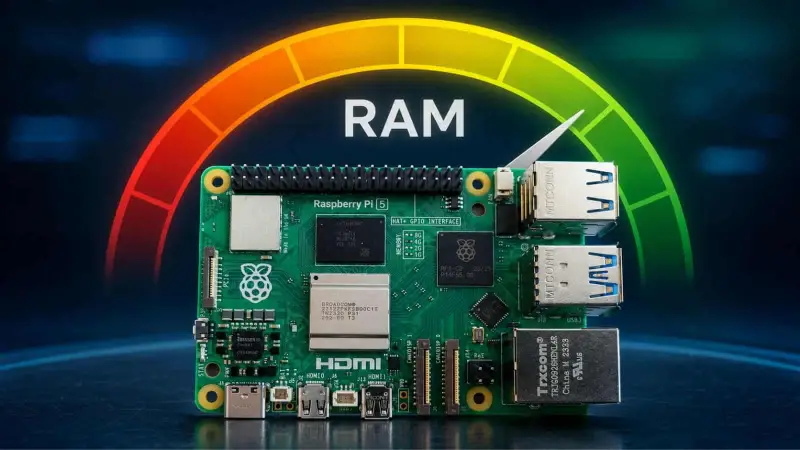
The Raspberry Pi 5 with 16GB of RAM makes sense when a project can use that memory and its other limits aren’t the real bottleneck. For many boards used as small servers, learning platforms or general purpose desktops, 4GB or 8GB may be a better match for the workload and budget.

The price difference makes that choice hard to ignore. The source lists the 16GB board at $385, before adding a power supply, storage or case; a complete setup could come to around $450. It puts the 8GB version at $175 and the 4GB model at around $110. Those prices are the figures given in the source, so buyers should check current listings before making a purchase. At the listed prices, choosing 16GB means spending substantially more for memory that a project may never use.
More memory doesn’t remove other bottlenecks
The 16GB Raspberry Pi 5 went on sale in January 2025, after Eben Upton announced the model. Raspberry Pi’s stated use cases included large language models, computational fluid dynamics and heavier operating systems such as Ubuntu desktop. These workloads can place a larger demand on memory, but RAM capacity alone doesn’t determine how well they run.
That distinction matters especially for local AI workloads. A model must fit within available memory, but fitting is only one part of the job: the processor and supporting hardware also affect how quickly it can produce results. The source’s assessment is that running large language models on a Raspberry Pi can be so slow that it isn’t practical for many users. Adding RAM may help with capacity, but it doesn’t by itself make a workload fast or make an unsupported model usable.
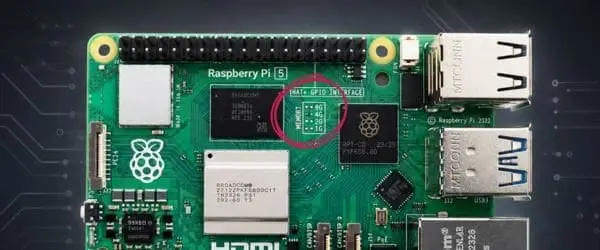
That’s a useful way to evaluate any proposed upgrade: first identify what is limiting the project. If an application is short of memory, a 16GB board may help. If processor performance or model compatibility is the constraint, extra RAM may leave the main problem untouched. The same reasoning applies to other demanding applications: the memory figure is one specification in the system, not a general measure of performance.
Where the extra capacity may help
Desktop use is one plausible case. A browser with many tabs, alongside other desktop applications, can put more pressure on memory than a lightweight single purpose setup. A higher capacity board may give that workload more room, though the source does not provide measurements showing how much faster a desktop becomes on 16GB than on 8GB. It’s a capacity choice, rather than a promise of a particular speed increase.
Some server projects may also benefit, particularly larger Docker setups or modded Minecraft servers. Running several services together can increase memory demand, and the 16GB model gives those workloads more space on one board. But the relevant question is whether a real deployment needs that headroom. A small collection of services may fit comfortably on a lower memory model; a more demanding collection may not. The source gives no container counts, server settings or benchmark results, so those examples shouldn’t be read as a guarantee that a particular configuration will fit or perform well.
There’s also a tradeoff between consolidating services on one board and spreading them across several. The source suggests that two Raspberry Pis with 4GB or 8GB could split services that might otherwise be placed on one 16GB Pi 5. Separate boards can give each group of services its own system, while a single board can keep a project on one machine. Which arrangement makes sense depends on how the services are used and managed; the source doesn’t give cost or power comparisons for the alternatives.
Compare the whole system before buying
A Raspberry Pi 5 configured with 16GB may approach the price of a mini PC once the board’s full setup is considered. The source questions whether the Pi is the better PC replacement at that price, but doesn’t provide a benchmark comparison. For a buyer, the practical step is to compare the actual systems under consideration: their total prices, the software they need to run, and whether the desired applications are supported.
The 16GB board’s intended audience looks narrower than its headline capacity might suggest. It suits people who have a specific memory hungry workload, need to run heavier software, or have measured a real memory constraint in an existing setup. Someone choosing a board for an unspecified future project may get little value from paying for capacity that stays unused.
For project planning, start with the software and services, then estimate their memory needs under the conditions you expect to run. If that estimate points to 16GB, the higher capacity has a clear purpose. If it doesn’t, an 8GB or 4GB board leaves more of the budget for the rest of the system. The key is to match memory to the workload: more RAM expands what can fit, but it won’t fix every performance or compatibility limit.