Three Free Revit Extensions for Batch Work, Sheet Alignment and Room Documentation
- Published
- Author
- Edwin Prakoso
- Reads
- 661
pyRevit, EF-Tools and pyChilizer automate recurring Revit tasks, from bulk renaming to room-based views. Check version compatibility before use.

Repeated documentation tasks can consume hours in Revit: creating sheets one at a time, renaming views individually, or checking where an element appears across a project. Three free extensions—pyRevit, EF-Tools and pyChilizer—offer tools for those chores, with different areas of focus.
pyRevit is the foundation for the other two: EF-Tools and pyChilizer are extensions that run within it. A practical way to approach the set is to install pyRevit first, then add the extensions when their tools match a specific workflow. These are productivity aids rather than modeling packages, and their value comes from reducing repeated clicks and manual coordination.

pyRevit handles repeat work in batches
pyRevit is a free, open-source Revit add-in that adds a dedicated tab containing hundreds of smaller tools. Its strongest fit is work that Revit can perform but doesn’t make easy to repeat across many views, sheets or elements.
For sheet production, Batch Sheet Maker creates multiple sheets from a list. That can reduce the setup work in projects where a batch of sheets follows a known naming and numbering scheme. Rename Selected Views and Rename Selected Sheets apply find-and-replace operations to selected items, which is useful when a naming convention changes or a group of labels needs correction.
Other tools help locate and prepare project information. Find Views Showing Selected Element and Find Sheets Showing Selected Element answer where a chosen element is represented elsewhere in the documentation. Print Sheets can print or export sheets in the order of a sheet list, helping preserve a planned sequence for review or delivery. The listed Highlight 2D tool adds another option for working with two-dimensional content.
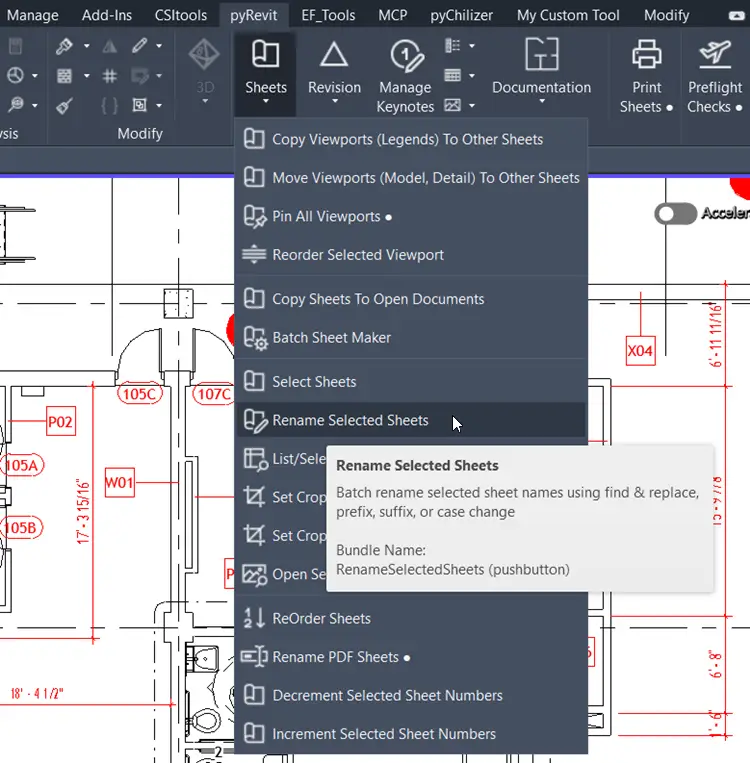
The installer is available from the pyRevit website and the GitHub releases page. Since the extensions depend on pyRevit, starting here also establishes the base needed to install EF-Tools and pyChilizer.
EF-Tools adds model cleanup and sheet coordination tools
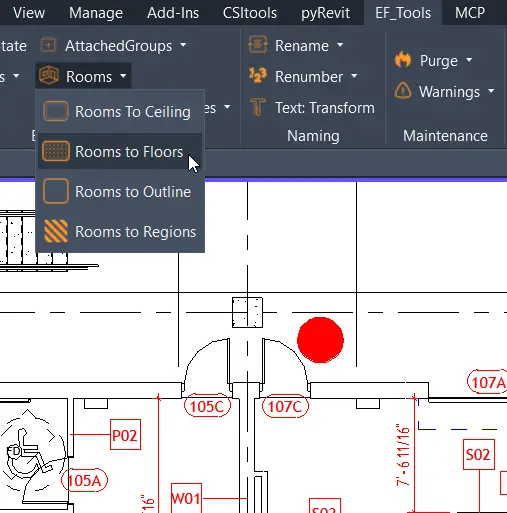
EF-Tools, created by Erik Frits, adds more than 50 tools in its own tab. Its functions cover tasks that may not be included in a user’s pyRevit workflow, including creating elements from room boundaries, aligning views on sheets, and clearing out unused view-related definitions.
- Rooms to Floors, Rooms to Ceilings and Rooms to Regions create elements from room boundaries. These can help when room information needs to generate related model or documentation elements.
- Align Viewports lines up views placed on different sheets, addressing a coordination task that can otherwise require repeated manual positioning.
- Find and Replace works with views, sheets, materials, types and room names, extending bulk editing across several kinds of project data.
- Purge View Filters and Purge View Templates remove unused filters and templates, which can help keep project controls easier to navigate.
- Display Warnings and Isolate Warnings help identify the elements associated with warnings so they can be examined in context.
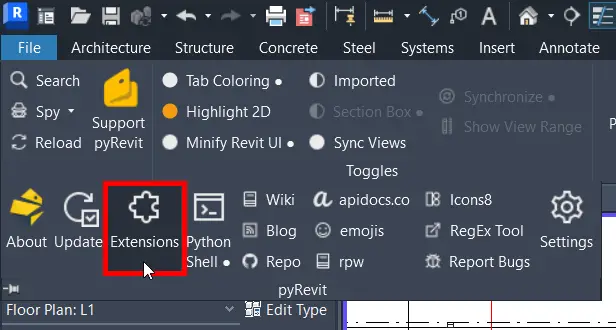
EF-Tools can be installed through pyRevit: open the Extensions area, select EF-Tools and choose Install. Reload pyRevit if needed. The EF-Tools GitHub page provides details. Its documentation says the tools were mainly developed in Revit 2019 to 2023, while the extension is reported to work in Revit 2027. That range makes a test in the project’s own Revit version a sensible first step before depending on the tools in production.
pyChilizer targets room-based documentation
pyChilizer, made by Archilizer, focuses on drafting tasks organized around rooms. Producing plans, elevations and data sheets for many rooms can create a large amount of repetitive view and sheet setup. Its tools aim to automate parts of that process.
- Room Plan View, Room Elevations and Room Data Sheets create room-based views and sheets.
- Colorize by Value and Colour by Type apply quick color overrides, useful for visually checking model information.
- Purge+ removes items such as unplaced rooms, unplaced views, unused scope boxes and imported DWG patterns.
- Legend by Filters and Legend by Excel create legends from filters or spreadsheet data instead of requiring each legend to be drawn manually.
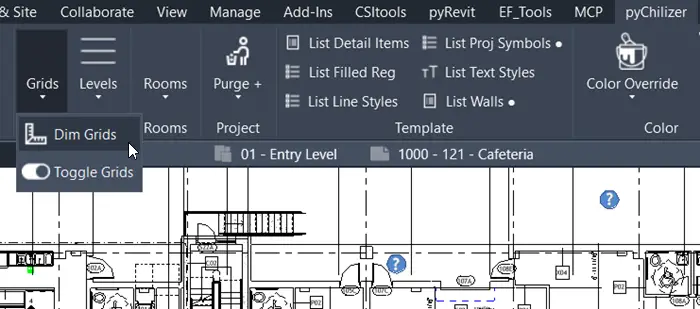
- Grid dimensioning provides another drafting function within the extension.
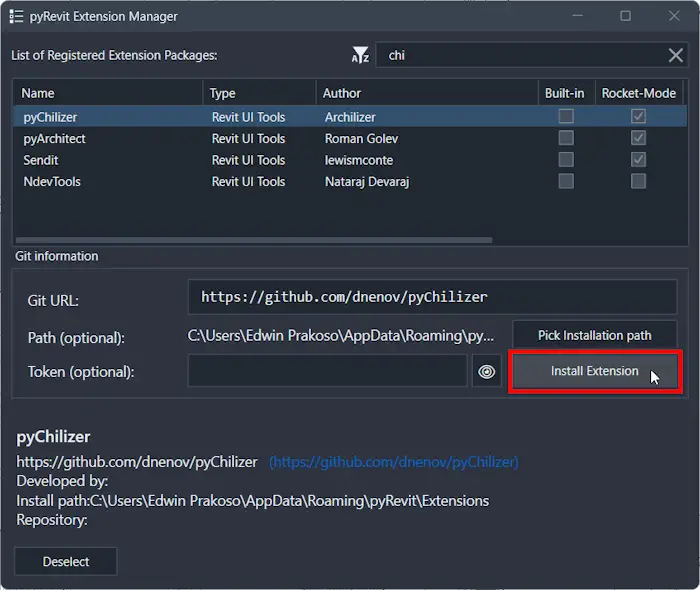
Install pyChilizer from pyRevit’s Extensions area by selecting the package and clicking Install. Further details are on the pyChilizer GitHub page.
Start with a copy of the model
Tools that create, rename, purge or reposition project elements can have broad effects when applied across a model. Try unfamiliar commands on a copy before using them in a live central file. This gives the team a chance to check the resulting views, sheets, room-derived elements and cleanup operations against its own project conventions.
Begin with pyRevit, then add EF-Tools or pyChilizer when a particular task calls for their functions. The most useful extension is the one that fits the work repeated in a project, and checking compatibility in the installed Revit version should come before building a production process around it.